Media
I make videos and write posts about the products I build and the tools I use. I want people to see how they work and why I made them.
Walkthroughs and short stories
When I finish a feature, I want to have something I can share. That might be a screen recording, a few screenshots or a post explaining the change.
My developer videos follow agent sessions, browser research and product updates. I record my screen and talk through what happens. A longer walkthrough gives me room to explain the details. For a short, I need to get to the point quickly.
I also make illustrated Bangkok comedy and stories about problems I find through Trend Seeker. These let me practise writing characters and working with pacing, sound and captions. I post the videos on TikTok, Instagram and YouTube.
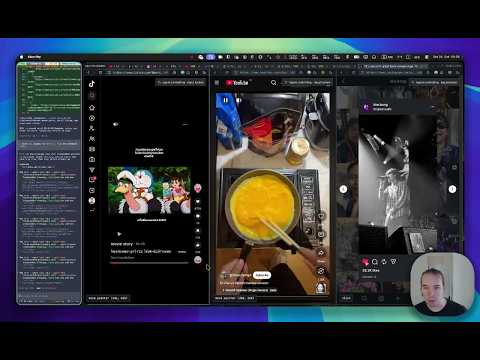
I keep the source recordings, scripts, characters and alternate edits together in my content library. That makes it easier to revise a video after watching it on a phone, and to carry what I learn into the next one.
Agents help me write scripts, create illustrated characters, edit and add captions. I record and edit screen videos in OpenScreen and keep the source files for later changes. Browser agents schedule the posts. I check the uploaded video and description before publishing.
How I started making wide and vertical product videosVideos, posts and projects
The video archive groups my developer videos, Bangkok comedy and Trend Seeker stories. Choose a project to see each video and the platforms where I posted it.
Browse the published videosPublished video archive
- published videos
- 76
- YouTube video views
- 9,315
- TikTok video views
- 5,139
Updated 12 Nov 2026 · Refreshed weekly. View totals use the available dated platform snapshots. Coverage: YouTube: 76 posts; TikTok: 29 posts. Each video links to its original posts.
X · @totovoto
- X followers
- 789
- X posts
- 1,418
Updated 12 Nov 2026 · Refreshed weekly. Totals displayed on my public X profile.
GitHub · @tonisives
- GitHub followers
- 15
- public repositories
- 104
- GitHub stars
- 534
Updated 12 Nov 2026 · Refreshed weekly. Account followers and public repositories; stars across owned public repositories, excluding forks.
Give people a reason to watch
Someone can follow an everyday situation in a Bangkok cartoon without knowing anything about my work. With a developer video, I have to give them a reason to care about the tool as well as explain how it works.
My early creator edits spent too much space on my camera and too little on the screen or post I was explaining. I keep the camera visible, but use larger screenshots, pictures and the actual platform icons so someone can recognise the subject from the first frame. I keep added text to two lines and work through one video at a time before moving on to the next.
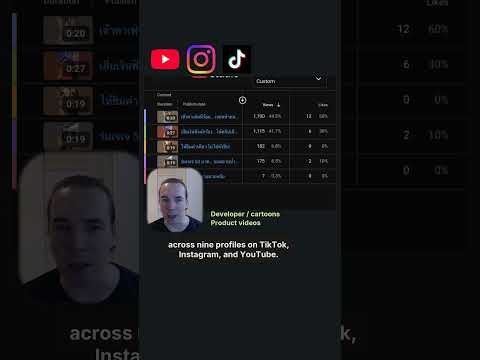
I want my product videos to get into a situation just as quickly. The viewer should be able to see the problem and understand how the product helps from watching the actual workflow.
I also changed the music after a mix had bass appearing in awkward places while I spoke. A steady minimal electronic track works better underneath the recording. I listen to the exported mix as well as checking the picture.
Before publishing, I watch the exported video, check that the screen and captions are readable, and listen through the ending. I check the scheduled post too. In one recording, the agent pasted the hashtags twice. I had it fix the description before the post went live.
Watch the description fixStart with a problem people recognise
I want to make short stories about the problems my products solve, using what I am learning from the cartoons about pacing and getting into a situation quickly.
A cartoon can get a reaction from people who have never heard of my products. I still need to find stories where the product has a natural role. For a developer walkthrough, I can show the tool solving a problem on my own screen.
I’ll pay closer attention to comments from potential users, visits to my profile and interest in trying a product. I also want to keep developing the Bangkok cartoons as their own series alongside the developer videos.
I am also trying Threads, Bluesky, Mastodon and LinkedIn so people can find the work and understand what went into it.