
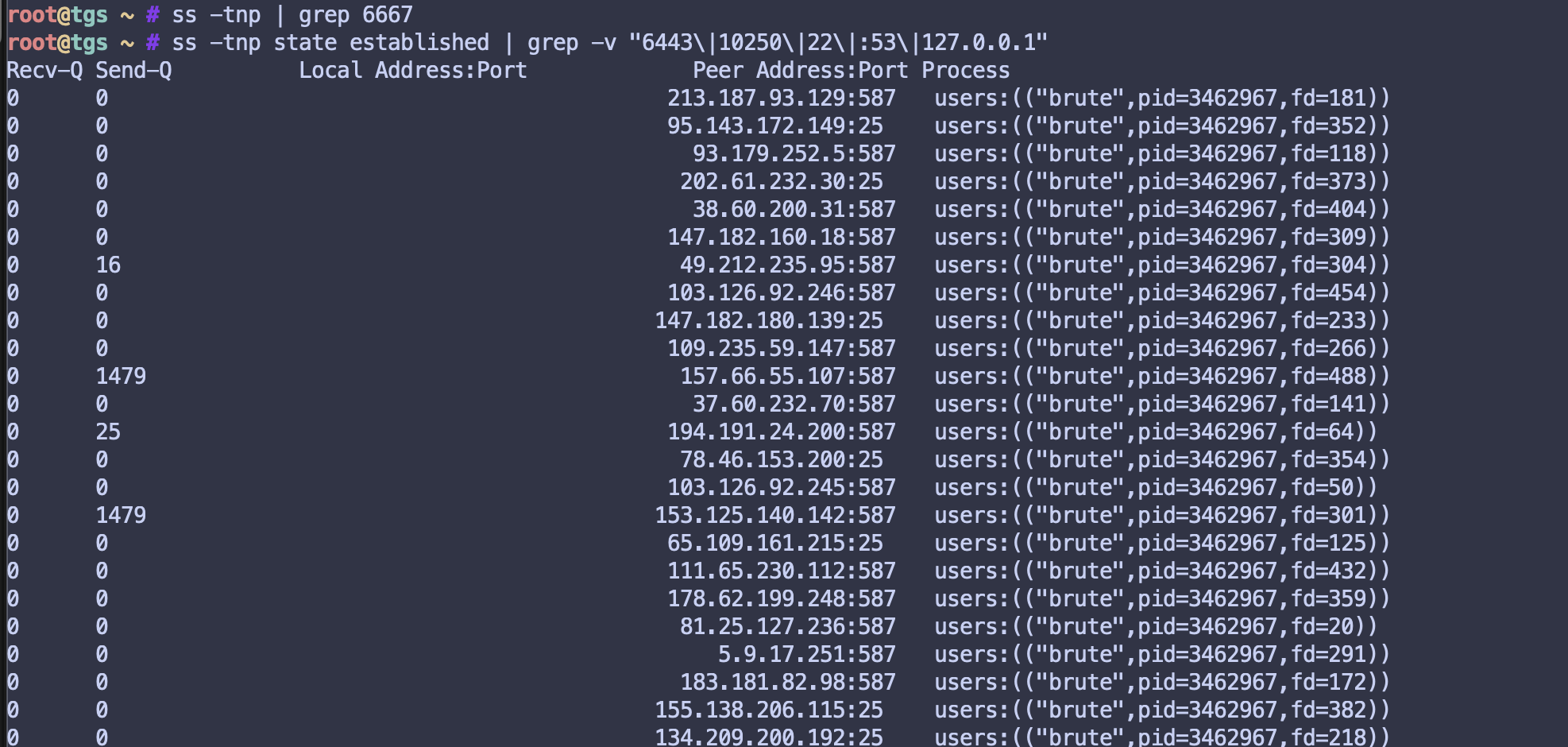
Monday morning started with an abuse report from Hetzner. My server was apparently sending SMTP brute force attacks to mail servers worldwide. Great.

The Initial Discovery
The attack vector was an exposed FRP (Fast Reverse Proxy) server running without proper authentication. Attackers used it to deploy malware that:
- Connected to an IRC Command & Control server at
185.93.89.72:6667 - Ran an SMTP brute forcer attacking mail servers on ports 25, 465, 587
- Got my IP blacklisted on UCEPROTECT Level 1
The malware was clever – it kept respawning with disguised process names:
/usr/sbin/sshd(note the trailing space)/sbin/syslogd/usr/sbin/cron/usr/sbin/httpd
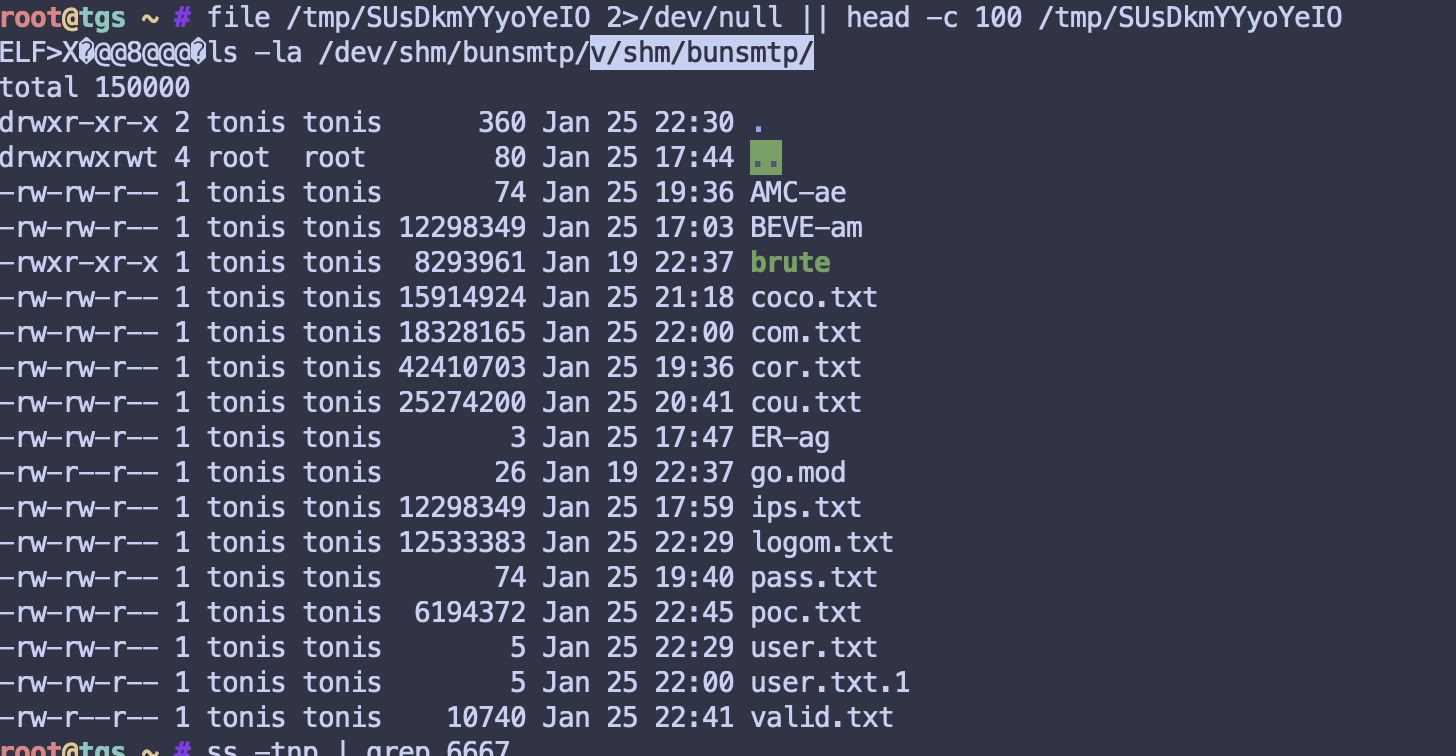
I killed the processes, deleted the files in /dev/shm/, and thought I was done.
The Malware Kept Coming Back
Every time I deleted /usr/bin/perfcc, it reappeared within seconds. Every time I cleared the root crontab, it was recreated instantly. Something was watching and recreating these files faster than I could delete them.
I ran chkrootkit and got some concerning output:
You have 1 process hidden for readdir command
You have 1 process hidden for ps command
chkproc: Warning: Possible LKM Trojan installed
Hidden processes. That explained why I couldn’t find what was recreating the files.
The Rootkit
The malware wasn’t “recreating itself” – I was never actually deleting it. The system was compromised at a deeper level.
The key was /etc/ld.so.preload:
/lib/libgcwrap.so
This file tells the dynamic linker to load a shared library into every process. The attackers had injected their rootkit library into every single program running on my system – including rm, ls, ps, ss, and crontab.
When I ran ls to look for malware files, the rootkit hid them. When I ran rm to delete them, the command was intercepted. When I ran ps to find malware processes, they were filtered out. When I ran ss to check network connections, the C&C connections were hidden.
What the Rootkit Contained
After booting into Hetzner’s rescue mode (a clean Linux environment that doesn’t execute anything from my compromised disk), I could finally see everything:
Rootkit Libraries:
/etc/ld.so.preload              # Loader config
/lib/libgcwrap.so               # Main rootkit
/usr/lib/libfsnldev.so          # Additional component
/usr/lib/libpprocps.so          # Fake procps (hid from ps/top)
Fake System Tools:
/usr/bin/.local/bin/
  ├── crontab    # Hid malware cron entries
  ├── top        # Hid malware processes
  ├── htop       # Hid malware processes
  ├── lsof       # Hid malware connections
  ├── strace     # Prevented debugging
  └── ldd        # Hid library injection
Malware Components:
/bin/perfcc                     # Main malware (~11MB)
/usr/bin/wizlmsh                # Setuid backdoor
/tmp/.xdiag/                    # Tor C&C infrastructure
/usr/bin/.atmp/                 # Staging directory
Persistence Mechanisms (7 total):
/etc/ld.so.preload– Rootkit loader/root/.profile– Runs on login/var/spool/cron/crontabs/root– Hourly execution/var/spool/cron/crontabs/tonis– User crontab/etc/cron.d/perfclean– System cron/etc/cron.daily/perfclean– Daily cron/etc/cron.hourly/perfclean– Hourly cron
The attackers also used chattr +i to make files immutable, preventing deletion even by root.
All malware files had a fake timestamp of “Mar 23 2022” to blend in with legitimate system files.
The Cleanup
You cannot clean a userland rootkit from a running system – every tool you use is compromised. The only solution is to boot from external media.
- Activated Hetzner rescue mode
- Rebooted into rescue system
- Mounted the root filesystem:
mount /dev/md2 /mnt - Removed immutable flags:
chattr -i /mnt/etc/ld.so.preload ... - Deleted all malware components
- Fixed
/root/.profile - Unmounted and rebooted
After reboot, the system was clean. No hidden processes, no C&C connections, no respawning malware.
Detection Commands
Here’s a script to check if your server is compromised:
#!/bin/bash
echo "=== Checking for malware ==="

# Most important - rootkit loader
echo "--- Rootkit loader ---"
cat /etc/ld.so.preload 2>&1

# Hidden directories in system paths
echo "--- Hidden directories ---"
find /usr/bin /usr/sbin /bin /sbin -name ".*" -type d 2>/dev/null

# C&C connections
echo "--- C&C connections ---"
ss -tnp | grep -E "6667|799|769|6666"

# Malware binaries
echo "--- Known malware paths ---"
ls -la /bin/perfcc /usr/bin/perfcc 2>&1

# Suspicious temp files
echo "--- Executable temp files ---"
find /tmp /var/tmp /dev/shm -type f -executable 2>/dev/null

# Processes with disguised names (trailing spaces)
echo "--- Disguised processes ---"
ps aux | grep -E "sshd |cron |httpd |syslogd " | grep -v grep

# Profile backdoors
echo "--- Profile check ---"
grep -E "perfcc|perf|xdiag" /root/.profile /home/*/.profile 2>/dev/null

echo "=== Done ==="
You can also run chkrootkit – it detected the hidden processes even while the rootkit was active:
apt install chkrootkit
chkrootkit | grep -v "not infected" | grep -v "nothing found"
Server degradation
During the breach, the server suffered from serious performance issues due to maxing out CPU/Memory use. After the fix, server returned to normal baseline.
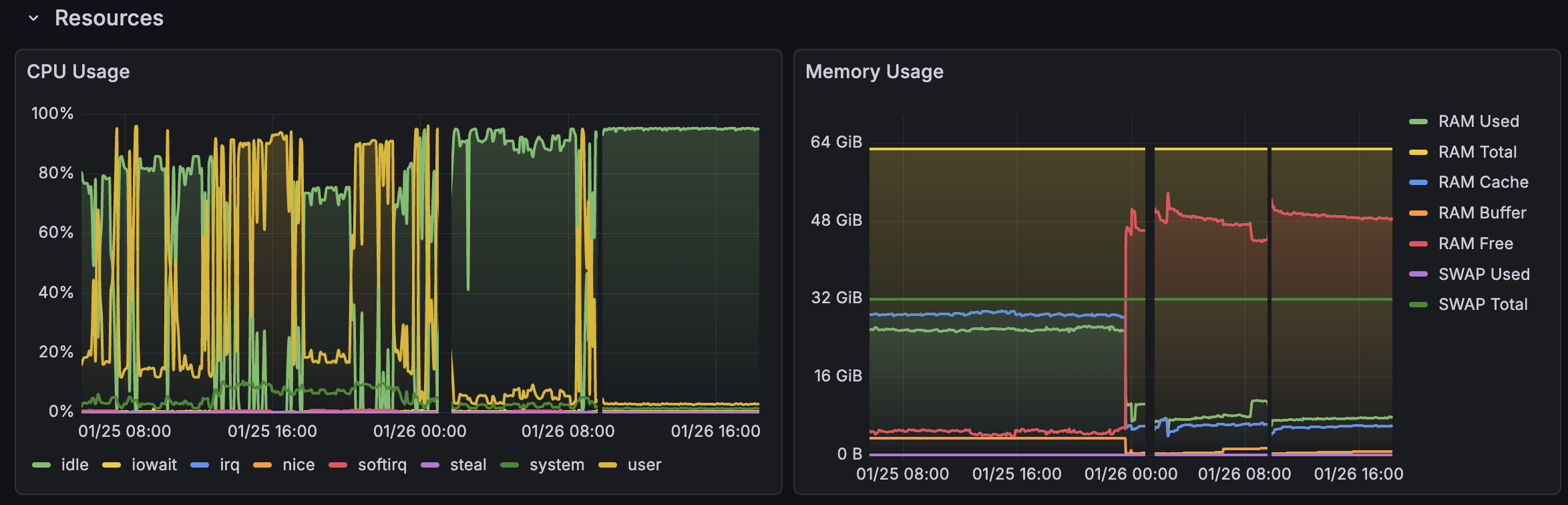
Notice that after the initial cleanup, I also discovered that malware managed to come back. I verified this by inspecting ssh access logs. I then stopped allowing password access, and only retained 1 single ssh key for access. Malware didn’t return after this.
Lessons Learned
- Never expose FRP without authentication – This was the entry point
- Check
/etc/ld.so.preloadfirst – If this file exists and you didn’t put it there, you have a rootkit - If malware “keeps coming back”, you have a rootkit – You’re not actually deleting it
- Rescue mode is required for cleanup – You cannot trust any tool on a compromised system
- Fake timestamps are a red flag – Files claiming to be from years ago in recently modified directories
- Hidden directories in system paths are suspicious –
/usr/bin/.local/is not normal - Multiple persistence mechanisms – Attackers don’t rely on just one
The whole incident took about 4 hours to fully resolve. Most of that time was spent trying to clean the malware before realizing I had a rootkit. Once I understood what I was dealing with, the actual cleanup in rescue mode took 15 minutes.
Timeline
- 00:00 – Received Hetzner abuse report
- 00:30 – Found and killed initial malware processes
- 01:00 – Noticed malware respawning, started deeper investigation
- 02:00 – Ran chkrootkit, discovered hidden processes
- 02:30 – Found
/etc/ld.so.preloadrootkit - 03:00 – Booted into rescue mode
- 03:15 – Completed cleanup in rescue mode
- 03:30 – Rebooted, verified clean system
Stay safe out there.